
n today’s fast-paced world, our smartphones are essential tools for communication, work, and entertainment. However, over time, even the most powerful devices can slow down. Apps take longer to load, scrolling becomes laggy, and multitasking feels frustrating. The good news is, there are simple ways to make your phone run faster without spending a dime on new devices. In this guide, we’ll cover practical tips, easy fixes, and optimization techniques that anyone can apply.
Why Your Phone Might Be Slowing Down
Before we dive into solutions, it’s important to understand the reasons behind a slow phone. Knowing why your device struggles helps you apply the right fixes. Some common causes include:
1. Too Many Apps Running in the Background
Many apps continue to run even when you’re not actively using them. This consumes RAM, reduces processing speed, and drains battery life.
2. Outdated Software
Phones with outdated operating systems may face performance issues. Updates often include bug fixes and optimization improvements.
3. Insufficient Storage
When your phone storage is nearly full, the system struggles to manage resources efficiently. This can lead to freezing, lag, and delayed responses.
4. Cache Buildup
Temporary files, cookies, and cached data accumulate over time, slowing down app performance and overall phone speed.
5. Malware and Unnecessary Apps
Some apps can introduce malware, ads, or hidden processes that negatively impact performance. Removing suspicious apps can improve speed.
Simple Ways to Make Your Phone Run Faster
Now that we know the main reasons for slow performance, let’s explore actionable solutions. These methods are effective for both Android and iOS devices.
1. Restart Your Phone Regularly
It sounds simple, but restarting your phone clears temporary files and stops background processes that slow down performance. Aim to restart at least once a week.
Tip: If your phone has been running for several days without a restart, expect a noticeable speed improvement after a reboot.
2. Update Your Operating System and Apps
Keeping your phone software up to date ensures it runs efficiently. Updates often include bug fixes, security patches, and performance enhancements.
How to do it:
- Android: Go to Settings > Software Update
- iOS: Go to Settings > General > Software Update
Also, update apps via the Google Play Store or App Store to benefit from optimization improvements.
3. Clear Cache and Temporary Files
Cached files help apps load faster initially but can slow your phone if accumulated excessively. Clearing them improves speed.
How to clear cache:
- Android: Settings > Storage > Cached Data > Clear Cache
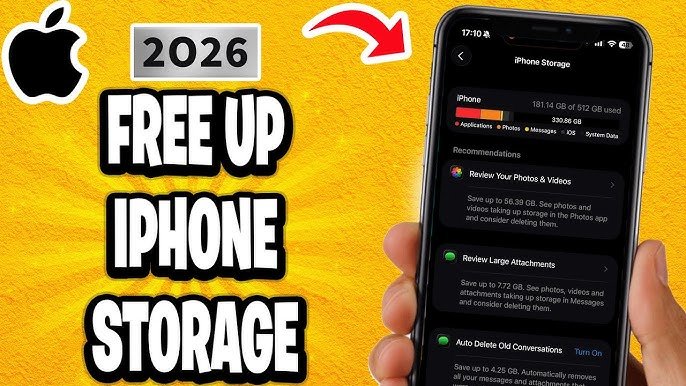
- iOS: Offload unused apps via Settings > General > iPhone Storage
For apps like browsers, clear cookies and history regularly.
4. Remove Unnecessary Apps and Files
Unused apps, large media files, and duplicate photos take up valuable storage and slow your device.
Actionable steps:
- Delete apps you rarely use.
- Move photos and videos to cloud storage (e.g., Google Photos, iCloud).
- Remove old downloads and documents.
A decluttered phone not only runs faster but also makes it easier to navigate.
5. Limit Background App Activity
Some apps constantly run in the background, consuming RAM and battery. Restricting background activity helps your phone run smoother.
For Android:
Settings > Apps > [Select App] > Battery > Background Restriction
For iOS:
Settings > General > Background App Refresh – turn off for unnecessary apps.
6. Use Lighter Versions of Apps
Many popular apps offer “lite” versions, which are optimized to use less memory and CPU power. Examples include Facebook Lite, Messenger Lite, and Google Go.
These apps are perfect for older phones or devices with limited storage and RAM.
7. Reduce Animations and Visual Effects
Fancy animations and transitions look great but can slow down your phone. Reducing them improves responsiveness.
How to reduce animations:
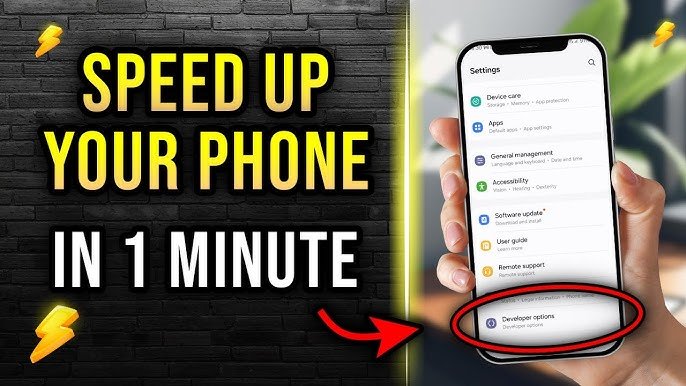
- Android: Settings > Developer Options > Window/Transition/Animator Scale – set to 0.5x or off.
- iOS: Settings > Accessibility > Motion > Reduce Motion – turn on.
8. Check for Malware or Adware
Malware and adware can significantly slow down your phone and compromise security. Use trusted antivirus apps to scan and remove threats.
Recommended apps:
- Avast Mobile Security
- Bitdefender Mobile Security
- Malwarebytes
9. Free Up RAM with Task Killers (Optional)
Some Android devices benefit from task manager apps that free up RAM by closing unnecessary background processes. Use them sparingly, as modern OS versions manage RAM efficiently.
10. Factory Reset as a Last Resort
If your phone is still sluggish despite all these steps, a factory reset can restore performance by wiping all data and settings.
Warning: Back up important files before performing a reset.
How to reset:
- Android: Settings > System > Reset Options > Erase All Data
- iOS: Settings > General > Reset > Erase All Content and Settings
Additional Tips for Long-Term Performance
To keep your phone fast over time, consider these best practices:
- Regularly update your device and apps – prevents slowdowns due to outdated software.
- Avoid heavy live wallpapers – they consume extra RAM.
- Manage notifications – too many active notifications can affect performance.
- Use cloud storage – reduces local storage usage.
- Avoid battery-draining apps – monitor battery usage and remove apps consuming excessive resources.
Common Mistakes to Avoid
Even while trying to improve speed, some habits can backfire:
- Installing too many cleaning apps – Can drain battery and slow the device.
- Overloading the phone with widgets – Widgets consume CPU and RAM constantly.
- Neglecting software updates – Skipping updates may keep performance issues unresolved.
Conclusion: Make Your Phone Feel Brand New
Sluggish phones can be frustrating, but by applying these simple ways to make your phone run faster, you can restore speed and efficiency in minutes. From clearing cache to limiting background apps and updating software, these practical methods help both Android and iOS users enjoy smooth performance.
Remember, regular maintenance is key. Restart your device, declutter storage, and keep apps updated to prevent slowdowns. By following these tips, your phone will not only perform better but also last longer.
Now it’s your turn: pick a few of these techniques today and watch your phone run like new again!